Verizon Innovation Lab / WatChat, a Hyper-Social Streaming Media App
At the Verizon Innovation Lab in Silicon Valley, our team developed new technologies and services that set new industry standards. We also created a backup plan ("Plan B") for current or future products to manage possible risks.
In 2015, Verizon began acquiring AOL and Yahoo, completing the $10 billion merger in 2021. This move was part of Verizon’s broader strategy to expand into short-form digital media for mobile and TV services, leveraging its telecom infrastructure to compete with platforms like YouTube, Netflix, and emerging mobile video apps.
To support this vision, Verizon launched the "go90" app, a mobile-first platform focused on mobile-optimized viewing with social features such as joining "crews" for shows, creating and sharing clips, and offering personalized recommendations.
Our innovation team developed the “WatChat” app, seamlessly integrating digital content consumption with the traditional TV viewing experience. Features like channel surfing, real-time clips and reaction sharing enable users to connect and engage with friends and family, enhancing the modern content provider while fulfilling our desire for human connection.


001 / Nationwide User Research
Content Consumption Behavioral Study
We conducted a nationwide user interview to explore Americans' media consumption habits and behavioral patterns. Key insights include preferences for various media types, the amount of time spent, and the influence of contextual factors. Here are some highlights:
🧔🏻♂️: Generally, the video-based social activities are limited to small groups, and the activities are communicated with different groups of friends for different shows.
🧔🏻♂️: Participants make “watch lists” to view in the future, but they do not collect or record-keep.
📊: Majority of the 28 participants looked to recommendations from friends and social media, and they watched trailers before committing to a full-length movie or show. Moreover, about 50% watched every episode of the show
📊: A conversation about a single episode might range from 10 to 15 texts.

002 / Nationwide User Research
Concept Validation
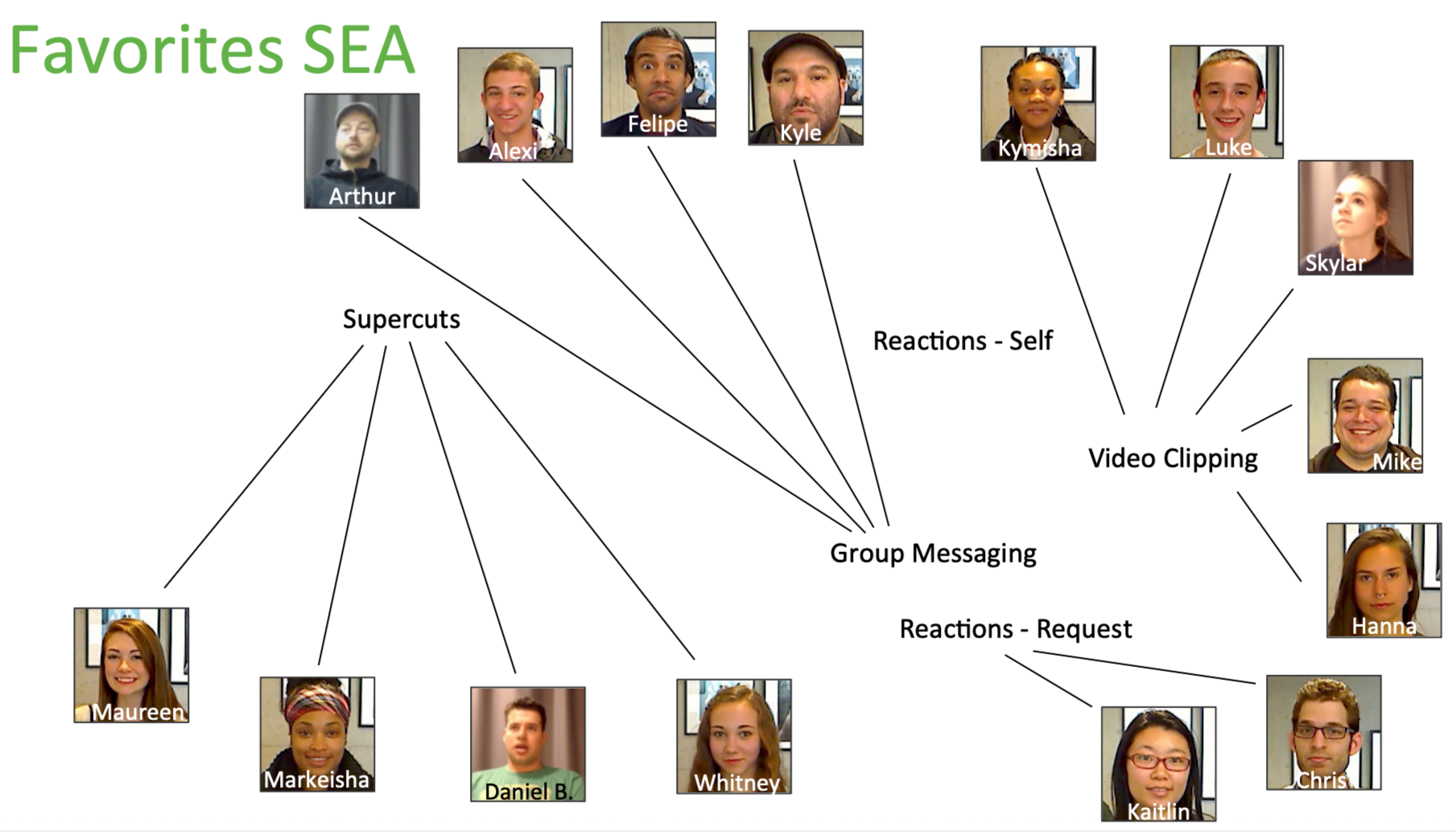
Drawing on insights from our media consumption patterns, our team developed four highly interactive products designed to boost engagement and strengthen connections between users and their friends and family.
Concept 001 / Supercuts
Supercut showcases a collection of trailers and popular clips from various recommended shows, allowing users to jump-start the full show or save it to their watch list.
🧔🏻♂️: “Novel, convenient and entertaining way to browse and discover content.”
Concept 002 / Reactions
Automatically capturing the user’s genuine reactions during the key moments of the show. Users can review and share their reactions with friends and family, or they can request a reaction from others.
🧔🏻♂️: “Feel stuck to record the candid reactions and uncomfortable with the idea of video recording themselves.”
Concept 003 / Video Clipping
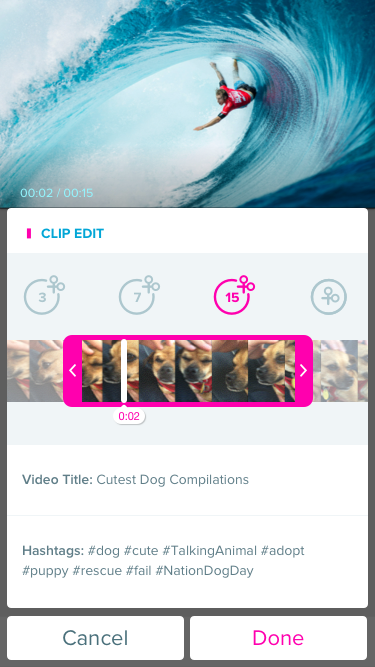
An intuitive video clipping feature that allows users to easily create and share user-generated content from the shows.
🧔🏻♂️: “An easy way to add more depth to conversations about TV shows and movies.”
Concept 004 / Group Messaging (Viewing party / Virtual Couch)
Group messaging features that center around allowing users to easily share and discuss video content and switch between multiple contents without disruption.
🧔🏻♂️: “The idea is clear, but it’s difficult to schedule people to get together.” Some users find it distracting, while others appreciate messaging and viewing in one interface.




003 / Feature Highlight
Video Clipping
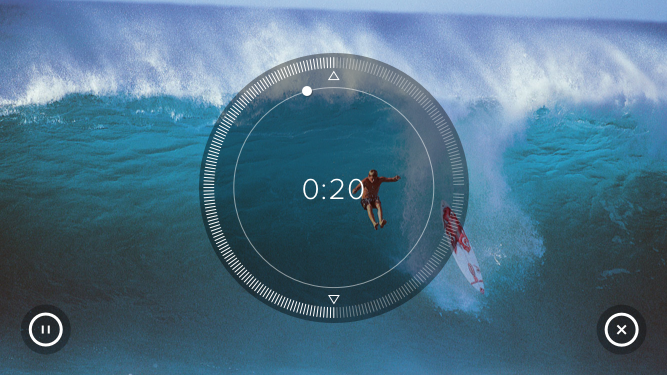
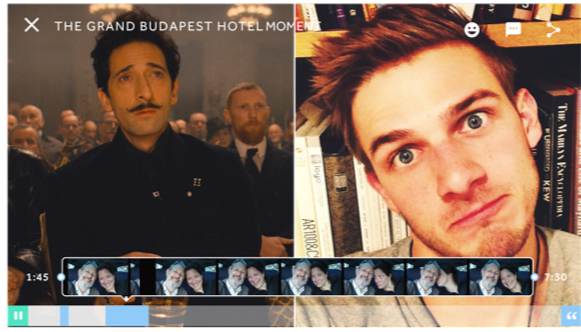
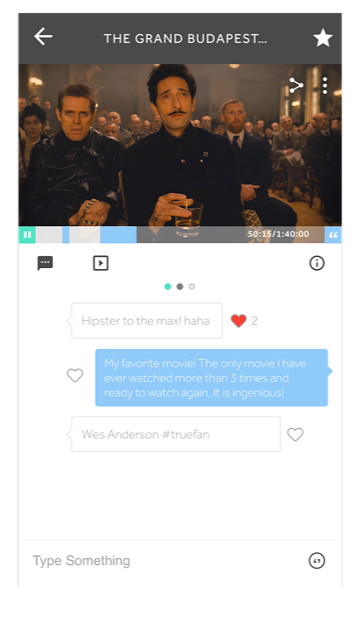
Easily capture and share the best moments in the show with our intuitive video clipping tool. While watching any video, simply tap the new Clip button, drag to select your start and end points, or instantly create a perfectly trimmed 3–15 second clip. Add an optional caption and hashtags, then share directly to chats. Viewers can watch the clip standalone or tap to jump straight to that exact moment in the full video, driving deeper engagement and conversation.