Verizon Innovation Lab / OUTTA, World’s First AR Social App
At the Verizon Innovation Lab in Silicon Valley, our team developed new technologies and services that set new industry standards. We also created a backup plan ("Plan B") for current or future products to manage possible risks.
As a design lead, I worked with the product manager to create a new social media platform using augmented reality (AR). Back then, and even now, AR and virtual reality (VR) were primarily used in gaming and high-tech applications, requiring bulky headsets, controllers, and powerful computers.
Our team aimed to challenge this inaccessibility by developing an AR platform for smartphones, enabling users to easily create and share AR spaces using a simple point-and-shoot method. This allowed business opportunities in location-based ads and interactive content that encourages in-store customers.
Launched in 2016, the OUTTA AR app rapidly gained traction, with over 10,000 AR spaces created worldwide within a few months, demonstrating its potential to democratize AR technology and transform user engagement.

How Was It Made / 001
OUTTA Moodboards
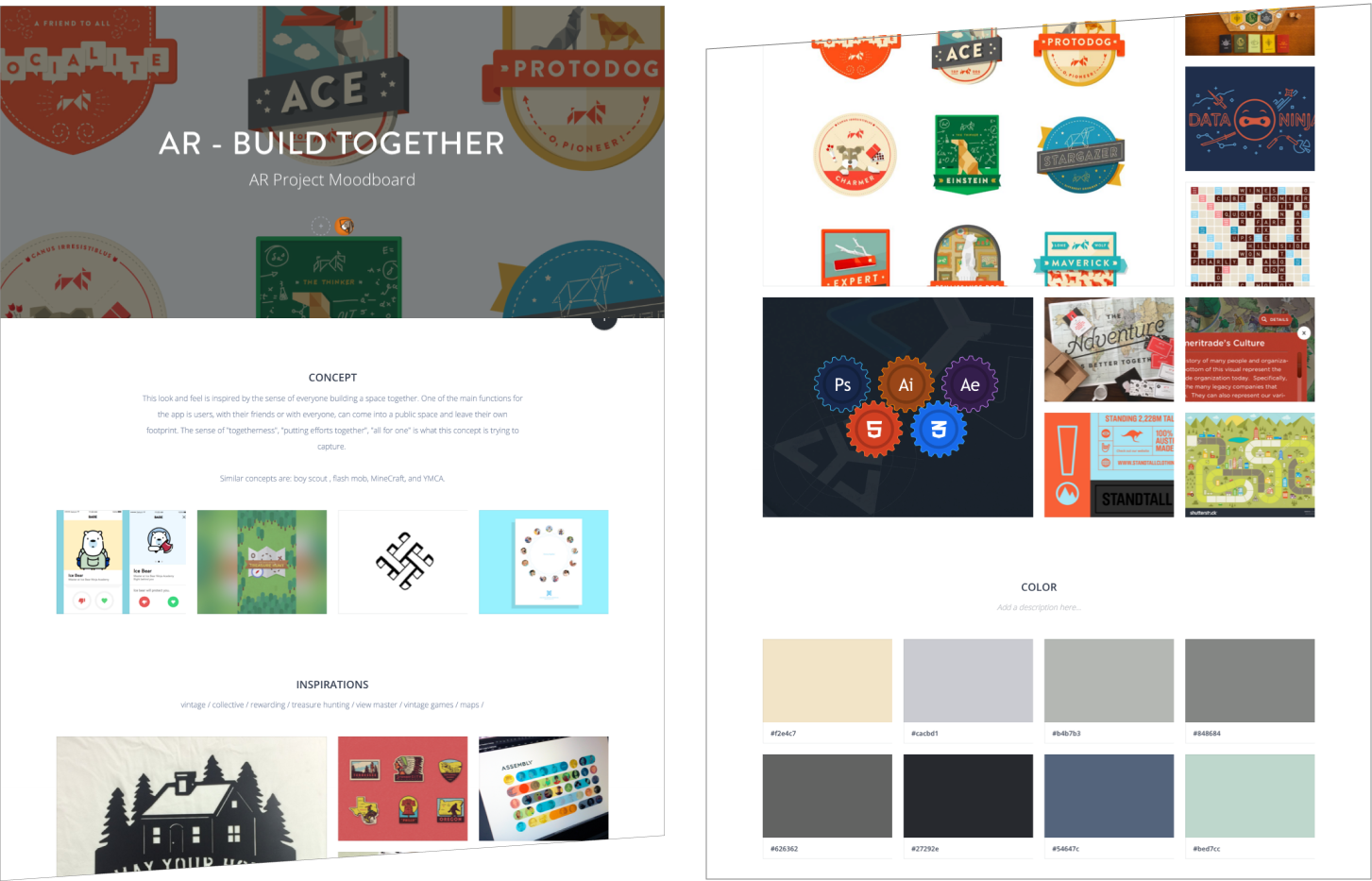
To create the world’s first AR social platform, our team at the Verizon Innovation Lab needed to define and align a clear and focused north star vision for the OUTTA app. As the design lead, I developed three comprehensive moodboards to articulate the app’s narrative, establish its visual identity and user experience, and outline its core functionalities.
Built Together
Theme - Inspired by the Boy Scouts, this theme emphasizes exploration, achievement, and community contribution.
Functionality - Users earn digital badges based on the number of AR spaces created and found, with tiered rewards.Sticker Fun ✅
Theme - Playful and rebellious, inspired by graffiti and sticker art culture.
Functionality - Point-and-shoot interface allows users to showcase their AR creations in real-world locations.Friendship
Theme - Collaborative and heartfelt, centered on fostering connections among friends.
Functionality - Pivot to group-created AR spaces that can be unlocked to specific users for a personal environment for collaboration.
How Was It Made / 002
Paper Prototype
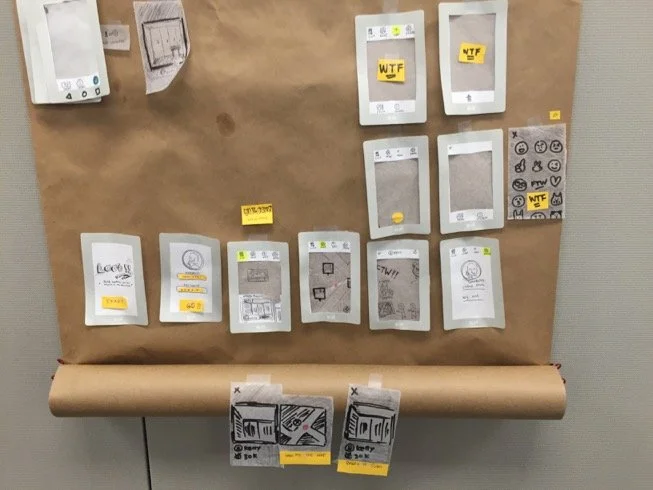
To validate the OUTTA app, I faced the challenge of prototyping a complex 3D scanning and mapping application using tools primarily designed for 2D digital interfaces. To overcome this, I devised an analog prototyping method using construction paper and transparent paper to simulate the AR overlay interface. This approach effectively mimicked key functionalities, including image overlapping to unlock AR spaces, constructing spaces with stickers and text, and locating spaces via GPS.
I conducted user testing sessions with coworkers, security guards, and the office manager. These tests provided valuable insights into how users interact with a “digital space” through the lens of a smartphone and their willingness to physically move to specific locations to access AR spaces. This creative prototyping method enabled us to validate the app’s user experience and refine its design to ensure intuitive and engaging interactions.
*How to experience an OUTTA space?
OUTTA App / Step 001
Build a Profile
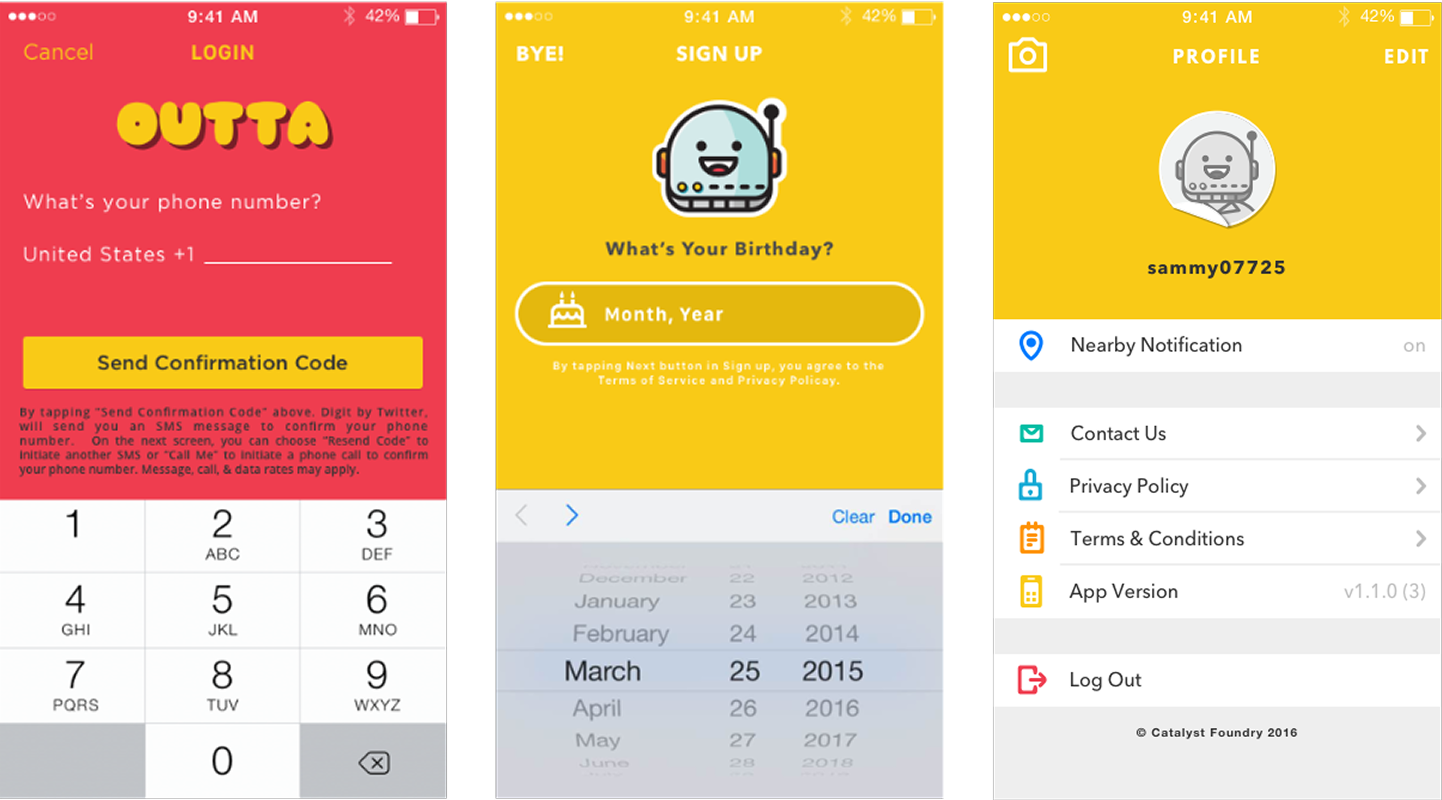
The OUTTA app, embodying the vibrant “Sticker Fun” theme, showcases a bold, cartoony design with thick outlines, bright neon colors, and a street-art aesthetic. Its interface integrates hand-drawn textures and a dynamic blend of flat 2D characters with 3D depth, delivering a whimsical, urban experience that captivates users.
Upon downloading the OUTTA app, users are guided through a streamlined sign-up process, requiring only their age, username, phone number, and acceptance of the terms of service to quickly onboard and begin exploring the AR social platform.

OUTTA App / Step 002
Select a Nearby OUTTA Space
Upon launching the OUTTA app, users are presented with a fun and intuitive interface allowing them to toggle between three views: all available AR spaces, spaces they have created, or spaces with recent updates, such as those shared by friends or edited by other users.
Spaces within a 100-foot walking distance are prominently highlighted, enabling users to quickly match and unlock them for an immersive AR experience.

OUTTA App / Step 003
Match Key Image
When a user is within 15 feet of a key image, the OUTTA app’s system automatically detects it, prompting the user to align their camera with the key image set by the original AR space creator. Upon achieving a 75% or greater match between the camera view and the key image, the AR content is unlocked, enabling the user to view and interact with the space seamlessly.

OUTTA App / Step 004
Unlock the OUTTA Space
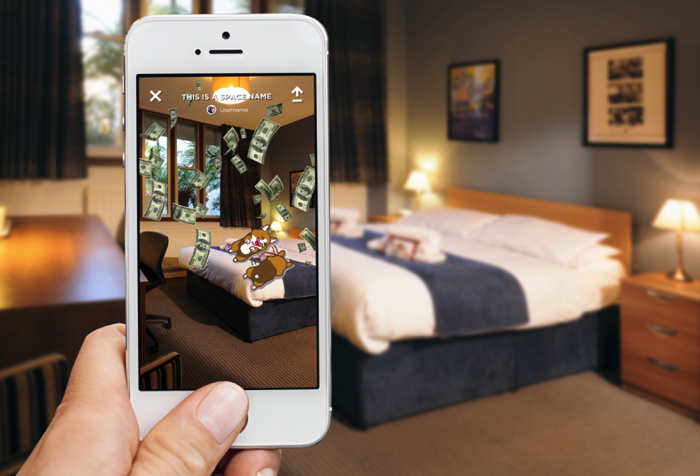
Upon opening an OUTTA space, users can engage with animations, text, and stickers left by previous users, experiencing a dynamic blend of digital and physical environments. Unlike a purely digital social media, each OUTTA space is a unique construct rooted in real-world locations, evolving with time, user interactions, and shared experiences, mirroring the distinctiveness of real everyday life.